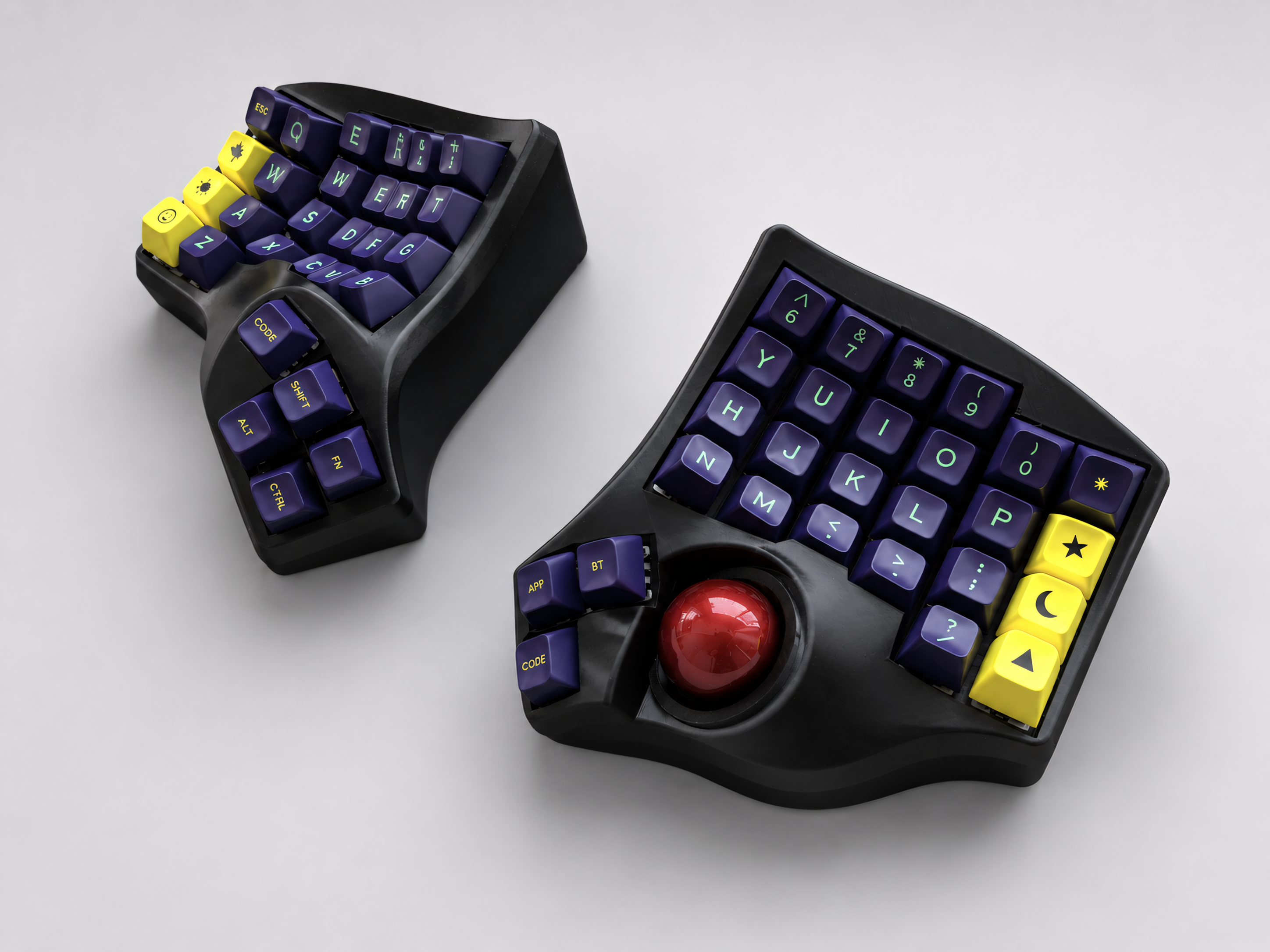
Charybdis Keyboard Review: The Best Trackball Split Keyboard You Have to Build Yourself
The Charybdis is one of the most discussed ergonomic keyboards in the mechanical keyboard community. If you've been researching trackball split keyboards for more than an hour, you've almost certainly encountered it. The design is compelling: a columnar stagger split keyboard with a built-in trackball, open-source firmware, and a community of builders who have refined it over years of iteration.
It's also a keyboard you have to build yourself.
This review covers what the Charybdis is, why it's become the reference point for trackball split keyboards, what the build process actually involves, and what your options are if you want a trackball split keyboard without the DIY component.
What Is the Charybdis?
The Charybdis is an open-source split ergonomic keyboard designed by Bastard Keyboards. It uses a columnar stagger layout with a thumb cluster and integrates a trackball — typically 34mm or 25mm — on the right half at a position accessible to the thumb or index finger depending on the variant.
The design is released under CC BY-NC-SA license, meaning the design files are freely available for personal, non-commercial use. Bastard Keyboards sells the design as a kit — PCB, case components, and hardware — that you assemble yourself. They also offer a limited prebuilt service, though availability and lead times vary.
The keyboard runs on QMK firmware, which provides full programmability through the VIA interface. Trackball sensitivity, scroll behavior, and all key functions are configurable.
Why the Charybdis Has Become the Reference Design
Several things have made the Charybdis the most well-known trackball split keyboard:
Integrated design. The trackball is designed into the keyboard from the ground up, not bolted on as an afterthought. The case geometry, PCB layout, and firmware are designed together, resulting in a cohesive product.
Mature firmware support. QMK's trackball support is well-developed on the Charybdis. Cursor speed, scroll mode, snipe mode (temporary precision mode), and button assignments are all configurable. Years of community use have produced well-tested default configurations.
Active community. Because the design is open-source and widely built, there's an extensive community of Charybdis users producing build logs, keymap configurations, and troubleshooting guides. Finding help is straightforward.
Multiple variants. The Charybdis comes in several variants — the standard Charybdis (4x6 with number row), the Charybdis Nano (3x6 without number row), and the Charybdis Mini — giving builders options for different key counts and footprints.
What Building a Charybdis Actually Involves
This is the part that most reviews gloss over. Building a Charybdis is a meaningful project that requires specific skills and equipment.
Soldering. The standard Charybdis kit requires soldering — attaching components to the PCB using a soldering iron. If you've never soldered before, building a Charybdis is not a good first project. Soldering takes practice to do cleanly, and mistakes on a keyboard PCB can damage components that are difficult to replace.
3D printing. The Charybdis case is 3D printed. Bastard Keyboards sells pre-printed cases, but if you're sourcing your own, you need access to a printer capable of producing parts at the required tolerances. Case quality varies significantly by printer, material, and settings.
Firmware flashing. After assembly, you need to flash QMK firmware to the keyboard's microcontrollers. This involves using QMK Toolbox or command-line tools. It's not technically complex, but it's another step that requires following a process correctly.
Troubleshooting. First builds rarely work perfectly. Common issues include keys not registering, the trackball not responding, or the two halves not communicating. Diagnosing and fixing these requires patience and some technical knowledge.
Time. A first Charybdis build typically takes a full weekend — more if issues arise. Experienced builders with all components on hand can complete it faster, but for someone new to keyboard building, budgeting 12–20 hours is realistic.
The build process is genuinely satisfying for people who enjoy this kind of project. For people who want the keyboard but not the project, it's a significant barrier.
The Prebuilt Option from Bastard Keyboards
Bastard Keyboards does offer prebuilt Charybdis keyboards. The key limitations:
Availability. Prebuilt units are hand-assembled in limited quantities. Stock is frequently unavailable, and when it is available, demand typically exceeds supply quickly.
Lead time. When ordering a prebuilt, lead times can stretch from weeks to months depending on current demand and production capacity.
Price. Prebuilt units are priced to reflect the hand-assembly labor. For a keyboard with premium switches and keycaps, the cost is substantial.
For buyers who are comfortable with the wait and the price, the official prebuilt is the most direct route to a Charybdis. For buyers who need a keyboard sooner or want more predictable delivery, it's a frustrating process.
What to Consider If You Don't Want to Build
If the trackball split keyboard concept appeals to you but the DIY build doesn't, there are a few things worth knowing before you start looking for alternatives.
QMK vs ZMK firmware. The Charybdis uses QMK. Other prebuilt trackball split keyboards may use QMK, ZMK (for Bluetooth), or other firmware. QMK with VIA is the most accessible for beginners — graphical key remapping without code. ZMK Bluetooth adds wireless but requires a different configuration approach.
Custom PCB vs kit assembly. A keyboard built around a purpose-designed PCB is more reliable and better integrated than one assembled from a generic kit. When evaluating prebuilt trackball split keyboards, asking whether the PCB is custom-designed for the specific keyboard is a meaningful quality indicator.
Hot-swap sockets. Not all trackball split keyboards have hot-swap switch sockets. Hot-swap lets you change switches without soldering — an important feature for a keyboard you plan to use long-term and may want to modify.
Actual availability. "Prebuilt" can mean different things. Some sellers offer true in-stock prebuilts that ship quickly. Others offer made-to-order builds with weeks of processing time. Understanding the actual delivery timeline before ordering avoids unpleasant surprises.
Trackball position. Different designs place the trackball in different positions — thumb-operated, index-finger-operated, or between the halves. Thumb-operated is the most common and tends to feel most natural for everyday use.
Alternatives to the Charybdis
If you've concluded that a DIY build isn't the right path, here are the main categories of alternatives:
Other open-source kits. Designs like the Dactyl Manuform with trackball modifications, the Ploopy Trackball (standalone), and various community forks of the Charybdis design exist as kit options. They share the same DIY requirement as the Charybdis itself.
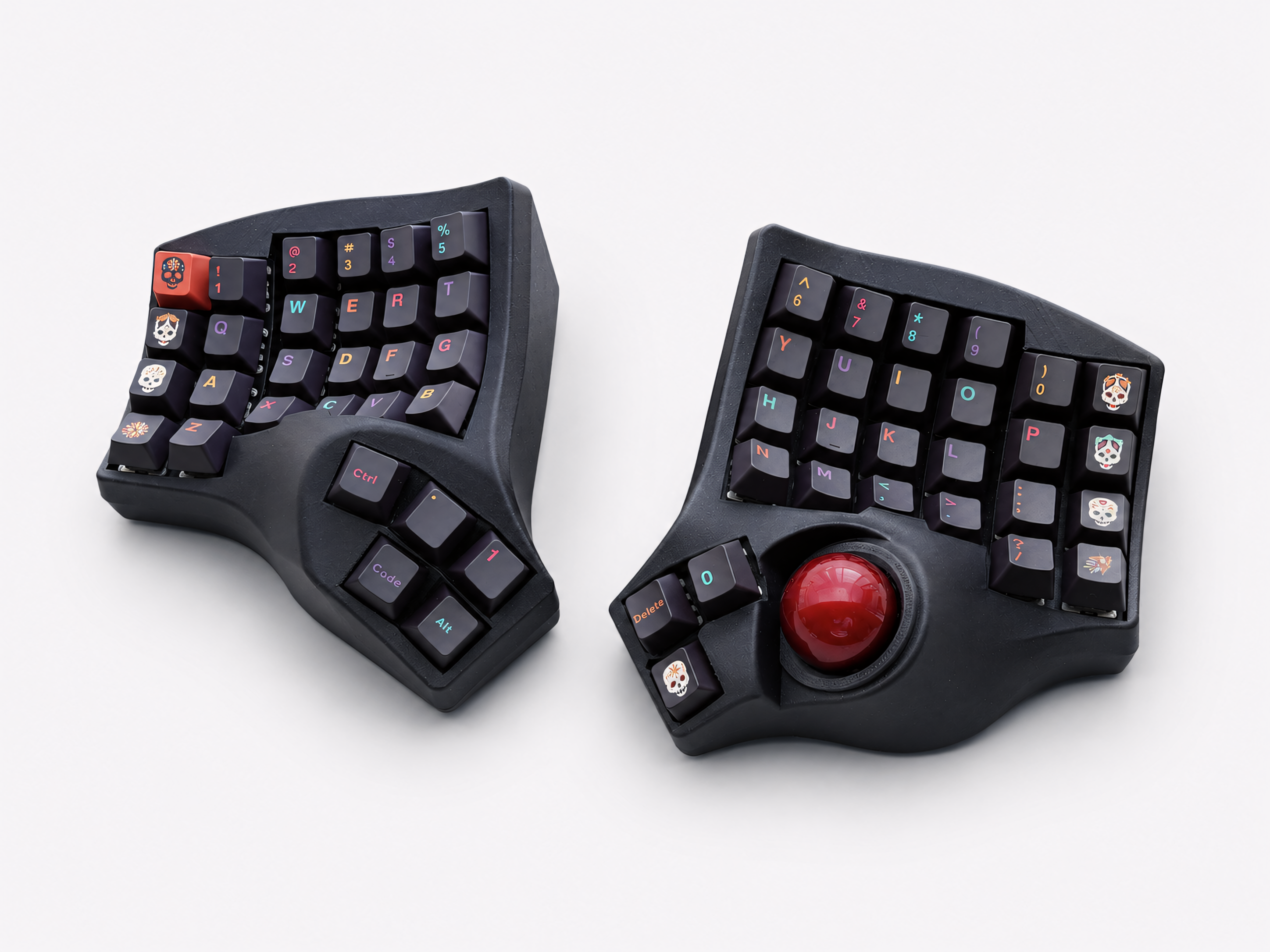
Commercial prebuilt trackball split keyboards. A small number of sellers offer prebuilt trackball split keyboards built on custom PCBs with firmware preloaded. These ship fully assembled and ready to use — no soldering, no firmware flashing, no build process. They typically cost more than a kit but significantly less than the time and equipment investment of a DIY build.
Artkeeb's Trackball Split Keyboard is one option in this category — built on a custom PCB, available in wired QMK and wireless ZMK versions, with hot-swap MX sockets, PETG case, and wrist rests included. Ships custom-built with a processing time of 2–12 business days.
View the Artkeeb Trackball Split Keyboard →
Who Should Build a Charybdis
The Charybdis is the right choice if:
- You enjoy keyboard building as a hobby
- You have soldering experience or want to develop it
- You have access to a 3D printer or are comfortable sourcing printed parts
- You have a weekend to invest in the build and enjoy the process
- You want the specific Charybdis design and community
Who Should Look at Prebuilt Alternatives
A prebuilt trackball split keyboard makes more sense if:
- You want to start using the keyboard as soon as possible
- You don't have soldering equipment or experience
- You've tried DIY keyboard projects before and found the process frustrating
- Your time is the primary constraint, not cost
- You want firmware preloaded and a keyboard that works out of the box
The Bottom Line
The Charybdis is genuinely excellent — the design is mature, the firmware support is deep, and the community is active. For keyboard enthusiasts who want to build, it's one of the best trackball split keyboard designs available.
For everyone else — people who want the trackball split keyboard experience without the build project — prebuilt options exist and are worth considering. The market is small but growing, and the available prebuilt options have improved significantly in the past two years.

Leave a comment
This site is protected by hCaptcha and the hCaptcha Privacy Policy and Terms of Service apply.