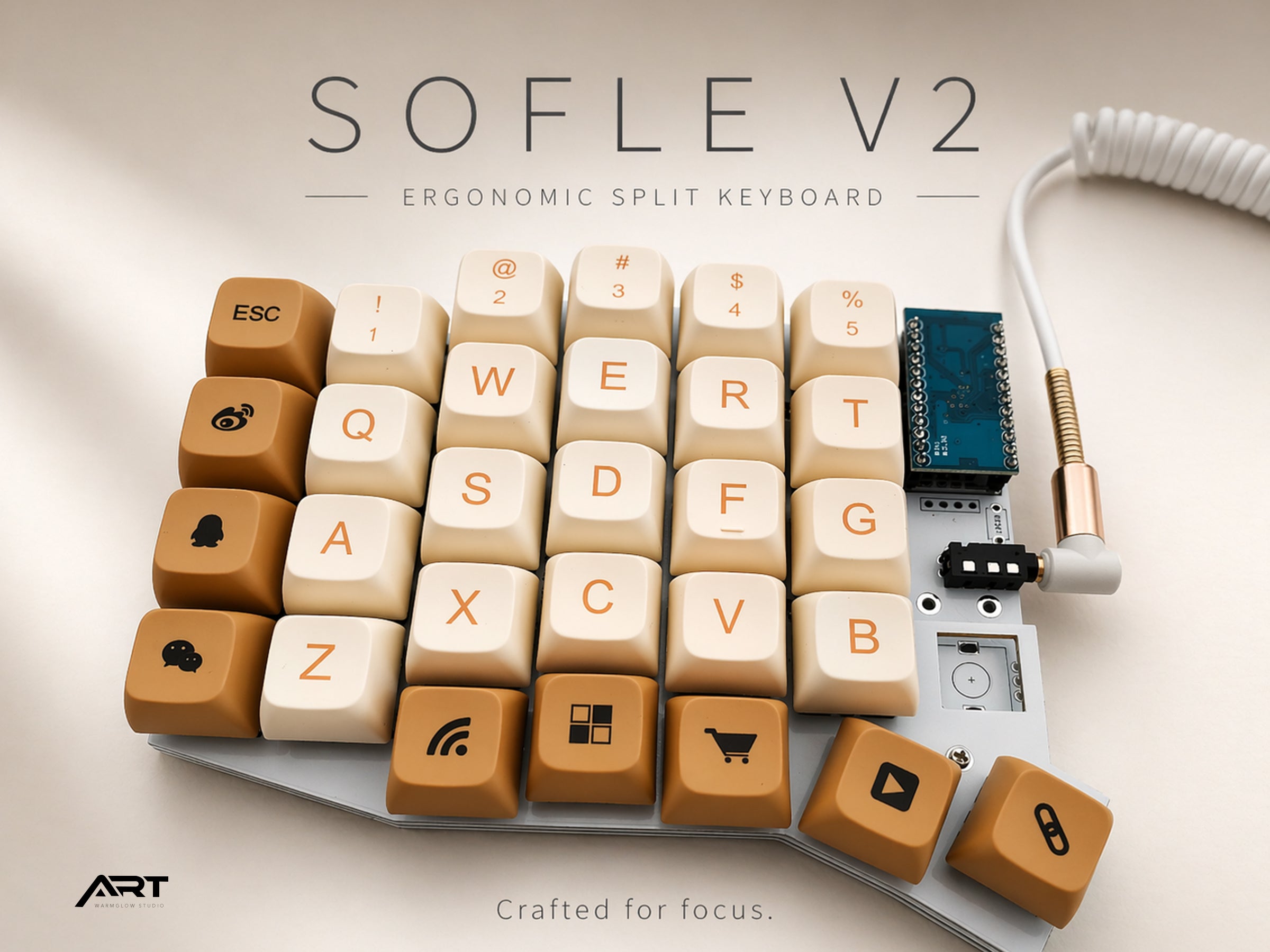
Sofle V2 Keyboard Review: Is It the Best Beginner Split Keyboard?
The Sofle V2 has become one of the most recommended split keyboards for people making the switch from a standard layout. It shows up constantly in r/ErgoMechKeyboards threads, keyboard comparison guides, and "what split keyboard should I buy first" discussions.
But is the reputation earned? And is it actually the right choice for a beginner?
This review covers what the Sofle V2 does well, where it falls short, and who it's genuinely best suited for.
What Is the Sofle V2?
The Sofle V2 is a 58-key split ergonomic keyboard designed by Josef Adamčík. It uses a columnar stagger layout — keys aligned in straight columns rather than the offset rows of a traditional keyboard — and includes a full number row, making it one of the more accessible compact split layouts available.
At 58 keys, the Sofle V2 sits in a sweet spot: small enough to reduce hand travel significantly compared to a full-size keyboard, but large enough that you don't need to rely heavily on layers for everyday typing. The number row alone makes it considerably easier to transition from a standard keyboard than 40% or 42-key layouts like the Corne.
Each half also includes a rotary encoder — a physical knob that can be assigned to volume control, scrolling, zoom, or any custom function. This is a feature most split keyboards at this price point don't include.
Layout and Key Count
The 58-key layout breaks down as:
- 4 rows of 6 columns per half (including number row)
- 4-key thumb cluster per half
- 1 rotary encoder per half
For a beginner, the number row is the most important detail. Keyboards like the Corne (42 keys) and Kyria (46 keys) omit the number row entirely, requiring you to access numbers through a layer. This is fine once you're used to it, but adds an extra learning curve on top of the split layout adjustment itself.
With the Sofle V2, you can type numbers exactly as you always have while you're getting used to everything else. One less thing to relearn at the start.
The thumb cluster is where the Sofle V2 shines for beginners. Four thumb keys per side — compared to the three on a Corne — gives you more flexibility for assigning layer switches, space, backspace, enter, and modifier keys without having to make uncomfortable compromises.
Columnar Stagger: What to Expect
The Sofle V2 uses a columnar stagger, which aligns each column of keys vertically rather than offsetting them like a traditional keyboard. The idea is that your fingers move naturally up and down, not diagonally, so a straight column layout is more ergonomic.
In practice, the columnar stagger is the main adjustment when switching from a standard keyboard. Most people find it takes one to two weeks to reach comfortable typing speed. The number keys and the keys on the outer columns (Q, A, Z, P, semicolon, slash) tend to cause the most initial confusion because their positions relative to the home row feel different.
The adjustment is real but manageable. Most users who commit to using the Sofle V2 exclusively for two weeks report that the columnar layout starts to feel natural and that going back to a standard stagger begins to feel awkward.
Firmware: QMK VIA and VIAL
The Sofle V2 supports QMK firmware with VIA and VIAL. This is one of the reasons it's particularly well-suited for beginners — key remapping is as simple as opening the VIAL desktop app, which shows a visual representation of your keyboard and lets you drag keys to new positions in real time.
No coding required. No config files. No reflashing to test a new layout.
This matters more than it might seem. When you're adjusting to a new keyboard layout, being able to quickly try different key positions for space, backspace, shift, and layer switches accelerates the learning process significantly. With VIAL, you can experiment and iterate in minutes rather than hours.
The Sofle V2 is also available in a wireless version using 2.4G connectivity. The wireless version also uses VIAL, so key remapping works identically — you just don't have a cable.
Build Quality
The Sofle V2 ships in an acrylic sandwich case. Acrylic is lighter than aluminum or polycarbonate, which keeps the overall weight low. The low-profile design keeps your wrists at a comfortable angle without needing a wrist rest, though one is included with Artkeeb's version.
Hot-swap MX sockets are standard. You can change switches without soldering — pull out the old ones with a switch puller and press in new ones. This is particularly useful for beginners who aren't sure which switch type they prefer yet.
The rotary encoders are solid and responsive. They click satisfyingly and turn smoothly. In VIAL, you assign separate functions to clockwise rotation, counterclockwise rotation, and pressing the encoder down — giving each knob three programmable functions.
Who Is the Sofle V2 Best For?
Beginners making their first split keyboard purchase. The number row reduces the learning curve. VIAL makes customization accessible. The 58-key layout is forgiving enough that you can keep most of your existing habits while adjusting to the split and columnar stagger.
Programmers and writers who type all day. The columnar stagger and split design address the two main sources of typing strain — inward wrist rotation and forward shoulder position. For anyone typing 6+ hours a day, the ergonomic improvement is meaningful.
People who want to customize without learning firmware. VIAL's graphical interface means you can have a fully personalized layout without ever opening a config file.
Users who want rotary encoders. Volume control, scroll, zoom — having a physical knob for these is more satisfying and faster than keyboard shortcuts. Not many keyboards at this price point include dual encoders.
Who Might Want Something Different
If you want wireless Bluetooth, the Sofle V2's wireless version uses 2.4G, not Bluetooth. If multi-device pairing (laptop + desktop + tablet) is important to you, the Corne 3.1 with ZMK Bluetooth is a better fit.
If you want the most compact possible footprint, the Corne at 42 keys is significantly smaller. The Sofle V2 is compact but not tiny.
If you already touch type confidently and want to go deep on layers, a 40% keyboard with more aggressive layer usage might suit you better long-term. The Sofle V2 is designed to be accessible, which means it's slightly less minimal than what experienced ergonomic keyboard users sometimes prefer.
Sofle V2 vs. Other Popular Beginner Split Keyboards
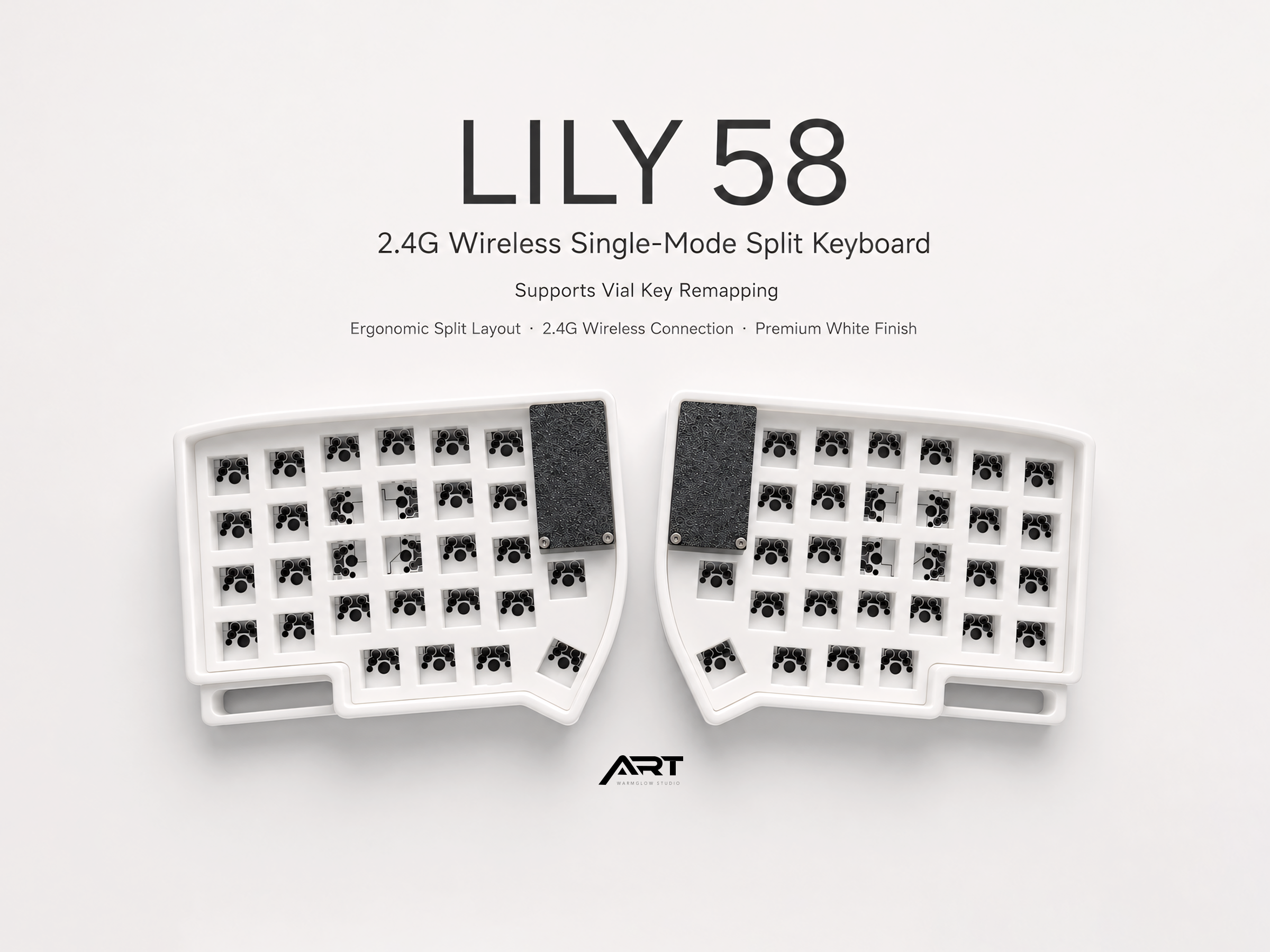
Sofle V2 vs. Lily58 Both are 58-key columnar stagger keyboards. The main difference is the thumb cluster — the Sofle V2 has 4 thumb keys per side, the Lily58 has 4 as well but arranged slightly differently. The Sofle V2 adds rotary encoders that the Lily58 doesn't have. If you want knobs, choose the Sofle V2.
Sofle V2 vs. Corne The Corne has 42 keys and no number row. It requires more comfort with layers from the start. The Sofle V2 is significantly more beginner-friendly. The Corne is better for users who specifically want a minimal layout and are ready to invest in learning it.
Sofle V2 vs. WK Ergo 360 The WK Ergo 360 is more compact than the Sofle V2 with a different key arrangement. The Sofle V2 has encoders; the WK Ergo 360 does not. If encoders matter to you, the Sofle V2 wins.
The Verdict
The Sofle V2's reputation as one of the best beginner split keyboards is earned. The number row, VIAL support, and rotary encoders make it one of the most practical and accessible options available for someone making their first ergonomic keyboard purchase.
It's not the most compact keyboard, and it's not the most advanced. But for a beginner who wants a split keyboard that's genuinely usable from day one and gets more comfortable over time, it's hard to recommend anything else as a starting point.

Leave a comment
This site is protected by hCaptcha and the hCaptcha Privacy Policy and Terms of Service apply.