Prebuilt Trackball Split Keyboard: What to Buy When You Don't Want to Build One
If you've been researching trackball split keyboards for more than an hour, you already know the frustration: almost everything in this category requires you to build it yourself.
Solder the PCB. Source the components. Flash the firmware. Troubleshoot whatever goes wrong. Spend a weekend — or longer — on a keyboard before you've typed a single character.
For users who want the ergonomic benefits of a split trackball keyboard without becoming a keyboard hobbyist, the options have historically been limited. This guide covers what's actually available, what to look for, and what to expect from a keyboard that ships ready to use.
Why Prebuilt Trackball Split Keyboards Are So Rare
Most ergonomic keyboards with trackballs started as open-source DIY projects. The designs were shared on GitHub, built by hobbyists, and refined through community iteration. The assumption was always that the builder was part of the appeal.
This is great for the hobby community. It's less great for someone who just wants to stop reaching for their mouse without committing to a multi-day build project.
The result is a market where:
- Most available designs are sold as bare PCBs or unsoldered kits
- Prebuilt options are rare and often hand-assembled in small batches
- Wait times can stretch from weeks to months depending on the builder
- Price points reflect the labor of custom assembly
The supply side simply hasn't caught up to the demand side. Plenty of people want a prebuilt trackball split keyboard. Far fewer are equipped to build one.
What Makes a Trackball Split Keyboard Worth Having
Before getting into what's available, it helps to understand what you're actually buying.
A split keyboard divides into two independent halves, positioned at shoulder width. This eliminates the inward wrist rotation and forward shoulder position that a standard keyboard forces — two of the main contributors to repetitive strain injuries in desk workers.
The trackball adds a second layer of benefit: cursor control without reaching. On a standard setup, your mouse lives to the right of your keyboard, and your arm travels to find it hundreds of times per day. A built-in trackball puts cursor control under your thumb, on the keyboard itself. Your hands stay in place. The arm travel disappears.
Together, these two features address the primary physical costs of a desk job: wrist strain from keyboard geometry, and shoulder strain from mouse reach.
The catch is the adjustment period. Expect one to two weeks to reach comfortable typing speed on a split layout, and another two to three weeks before the trackball feels as intuitive as a mouse. Most users who push through this period report that they wouldn't go back — the physical relief is real and cumulative.
What to Look for in a Prebuilt Trackball Split Keyboard
Not all prebuilt options are equal. A few things that matter:
Custom PCB vs. Kit Assembly
There's a meaningful difference between a keyboard built on a purpose-designed PCB and one assembled from a generic DIY kit. A custom PCB is designed specifically for the keyboard's layout, trackball integration, and firmware — resulting in a more reliable, better-tested product. Kit assemblies work, but the integration between components is only as good as the builder's execution.
If you're buying prebuilt and paying a premium for it, a custom PCB is worth looking for.
Firmware Choice
QMK with VIA is the standard for wired keyboards and the most accessible option for customization. Open VIA in your browser, plug in the keyboard, and every key is remappable through a graphical interface. No coding required.
ZMK is the standard for Bluetooth wireless keyboards. It handles the wireless connection between the two halves and to your computer. More powerful users can customize the keymap through ZMK Studio or config files; casual users can use the default keymap as-is.
Having both options available — wired QMK and wireless ZMK — as separate versions of the same keyboard gives you flexibility to choose based on your workflow rather than being locked into one approach.
Hot-Swap Switches
A prebuilt keyboard should have hot-swap switch sockets. This lets you change switches without soldering if you decide you want a different feel — linear instead of tactile, standard instead of silent. On a keyboard in this price range, hot-swap is a baseline expectation, not a luxury.
MX-compatibility is important too. MX is the most widely available switch format, with hundreds of options across every feel, weight, and sound profile. A keyboard that supports only proprietary switches limits your options unnecessarily.
Case Material
3D-printed cases are common in this category. The material matters. PETG is tougher and more heat-resistant than PLA — it handles the minor stresses of daily use (being moved, bumped, and adjusted) better over time. For a keyboard you're going to use every day, PETG is the more durable choice.
What's Included
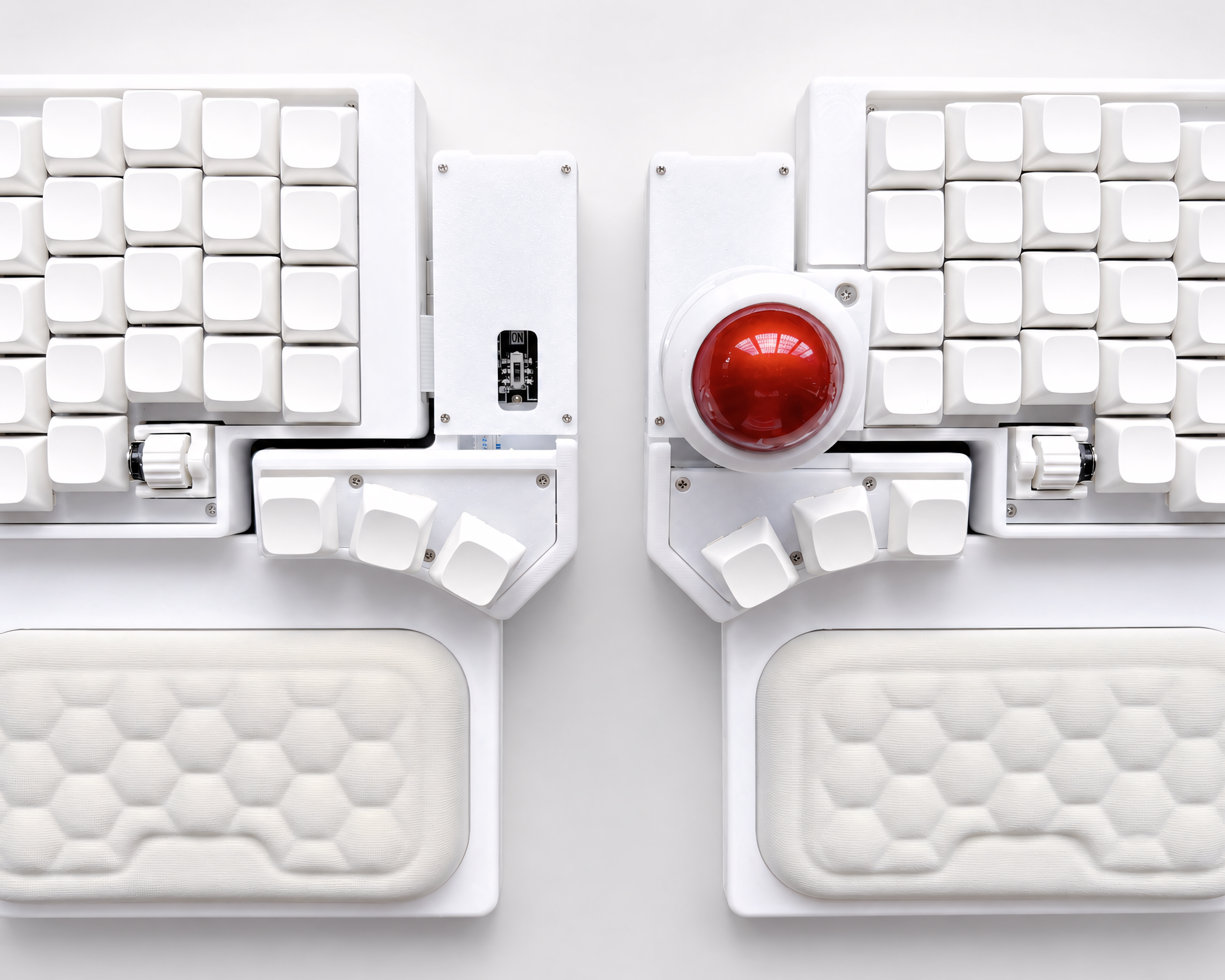
At this price point, the keyboard should include wrist rests. Ergonomic typing without wrist support puts strain on a different part of the wrist than a standard keyboard — wrist rests complete the ergonomic picture and are not an optional accessory. Color-matched wrist rests suggest the manufacturer thought about the complete setup, not just the keyboard in isolation.
The Artkeeb Trackball Split Keyboard
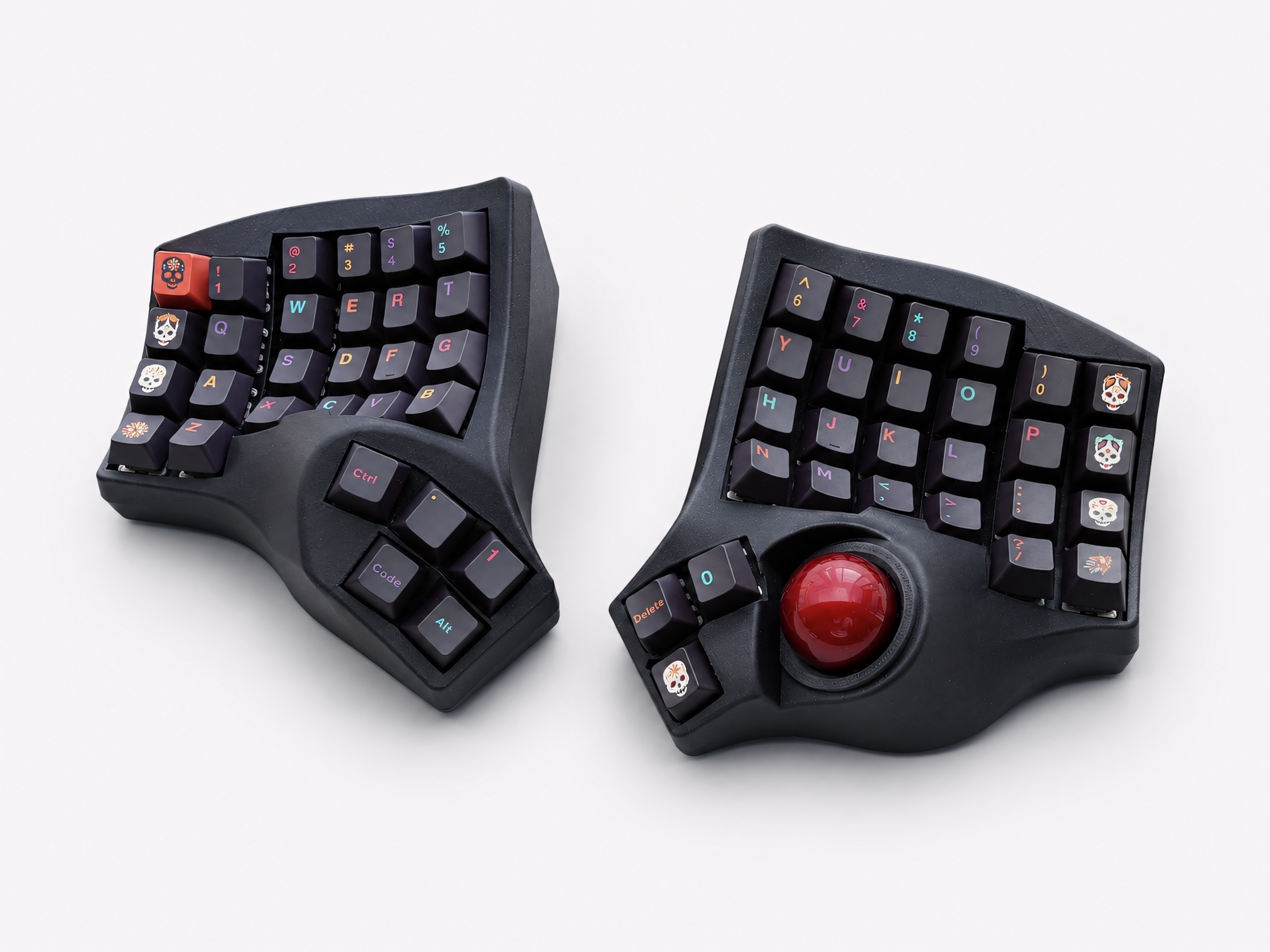
The Artkeeb Trackball Split Keyboard is designed and built around a custom PCB — not assembled from a generic kit. Available in wired QMK and wireless ZMK versions, with hot-swap MX sockets, a PETG case, and color-matched wrist rests and stands included.
Wired QMK version ($599): USB-C connection, QMK firmware with full VIA remapping support. Plug in and start typing; open VIA to customize. No battery required.
Wireless ZMK version ($679–$799 depending on color): Bluetooth wireless, ZMK firmware with ZMK Studio support, 1500mAh built-in battery, USB-C charging. Cable-free desk setup.
Both versions are available in White, Gray, Black, and Titanium. The Titanium colorway carries a small premium.
Key specs at a glance:
- Custom PCB design
- Hot-swap MX sockets (3-pin and 5-pin compatible)
- 3D-printed PETG case
- Built-in trackball at thumb position
- Color-matched wrist rest and stand included
- Mac, Windows, and Linux compatible — no drivers required
- Free worldwide shipping
Each keyboard is custom-built and individually tested before shipping. Processing time is 2–12 business days, with delivery typically following within 7–20 business days depending on region.
Wired vs. Wireless: Which Version Should You Choose?
Choose the wired QMK version if:
- You want the simplest setup — plug in and use
- Key remapping through VIA's graphical interface matters to you
- You don't need a cable-free desk
- You're new to split keyboards and want the most accessible firmware experience
Choose the wireless ZMK version if:
- A completely cable-free desk is important to you
- You're comfortable with ZMK Studio or willing to learn it
- Battery-powered operation suits your setup
- You want Bluetooth connectivity to multiple devices
For most users making their first split trackball keyboard purchase, the wired QMK version is the lower-friction starting point. VIA's graphical remapping interface is genuinely beginner-friendly, and one fewer variable (wireless pairing, battery management) makes the initial adjustment easier to focus on.
The Adjustment Period: What to Expect
The trackball and the split layout have separate adjustment curves, and it helps to know what to expect before you start.
Week 1–2: Typing speed drops noticeably. The columnar stagger layout feels unfamiliar, especially for keys on the outer columns. The trackball is usable but slower than a mouse. This is normal — your muscle memory is recalibrating.
Week 3–4: Typing speed recovers to close to normal. The trackball starts to feel natural for basic cursor movement. Scrolling with the trackball (by holding a scroll key while rolling) becomes automatic.
Month 2 onward: Most users report that switching back to a standard keyboard feels awkward. The split position feels natural. The trackball replaces the mouse for nearly all everyday tasks.
The most important thing you can do during the adjustment period is commit to the keyboard fully. Switching back to a standard keyboard when things feel slow extends the adjustment significantly. Two weeks of consistent use is the threshold where most people turn the corner.
Frequently Asked Questions
Does the trackball fully replace a mouse? For most everyday productivity tasks — browser, IDE, documents, email, Figma at normal zoom — yes. Some users keep a mouse for occasional tasks requiring very precise movement. Most find their mouse use drops to near zero within a month.
Can I use my own switches? Yes. The hot-swap MX sockets support any standard MX-compatible switch. Pull out the included switches with a switch puller and press in your preferred ones — no soldering required.
What keycaps are included? Check the product listing for current keycap inclusion. The keyboard accepts any standard MX keycap set.
Does it work with my operating system? Yes. Both versions are recognized as standard HID devices on Mac, Windows, and Linux. No drivers required.
What's the warranty? Each keyboard is tested before shipping. If something arrives damaged or defective, contact Artkeeb within 7 days with photos — replacements and repair guidance are available. Damage from improper switch installation or incorrect charging is not covered.
How long does shipping take? Processing time is 2–12 business days (custom-built to order). Delivery typically follows within 7–20 business days. Free worldwide shipping is included on every order.
The Bottom Line
Prebuilt trackball split keyboards are rare because they're genuinely difficult to build well. A custom PCB, reliable trackball integration, dual firmware options, and consistent quality across multiple color variants requires real engineering investment — not just assembling a kit.
If you've been researching this category and kept running into DIY kits, long lead times, or out-of-stock listings, that's the market reality rather than a sign that what you're looking for doesn't exist.
It does exist. It just takes some finding.

Leave a comment
This site is protected by hCaptcha and the hCaptcha Privacy Policy and Terms of Service apply.