Lily58 Split Keyboard Barebone — 2.4G Wireless, VIAL, Hot-Swap
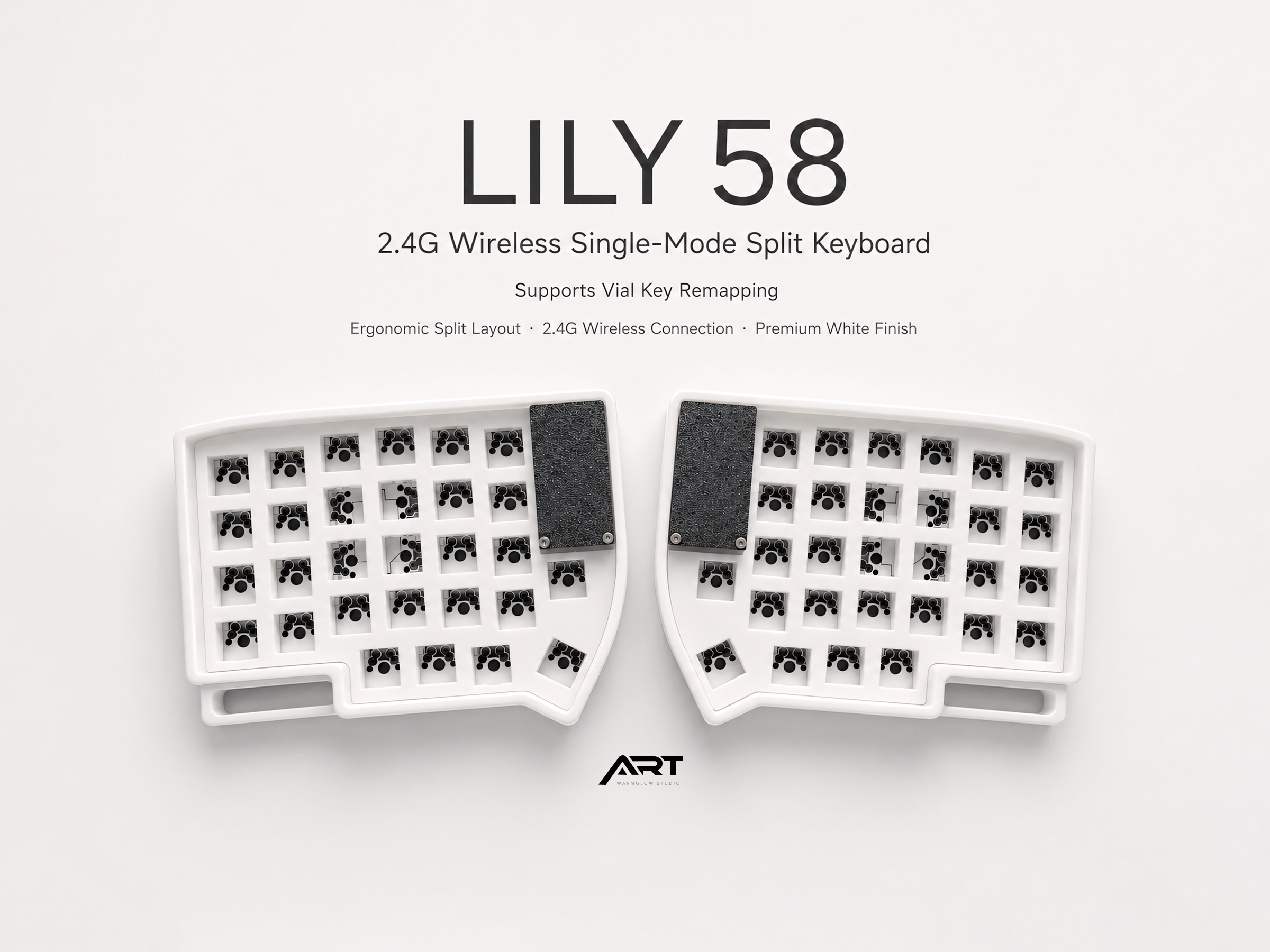
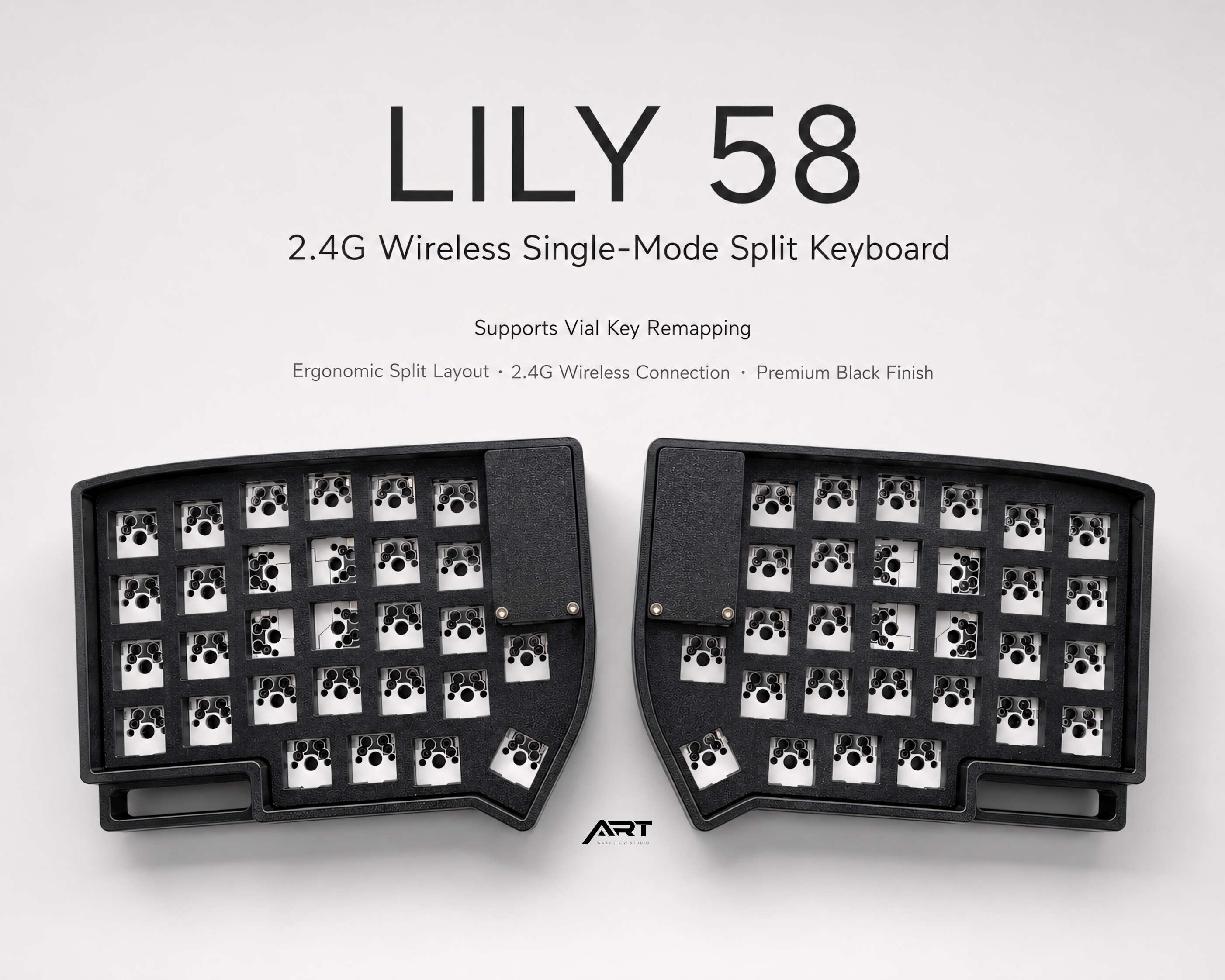
A compact wireless split ergonomic keyboard in the classic Lily58 layout, with 2.4G wireless connection and VIAL key remapping support. Customize keys, layers, macros, and shortcuts instantly through the VIAL interface — no reflashing required.
This is a Barebone version. Switches, keycaps, and cable are not included. Recommended for users with custom keyboard building experience.
Available colors: Black / White
What's Included
Includes:
- Keyboard case (3D-printed)
- PCB and required keyboard parts
- Button cell battery setup
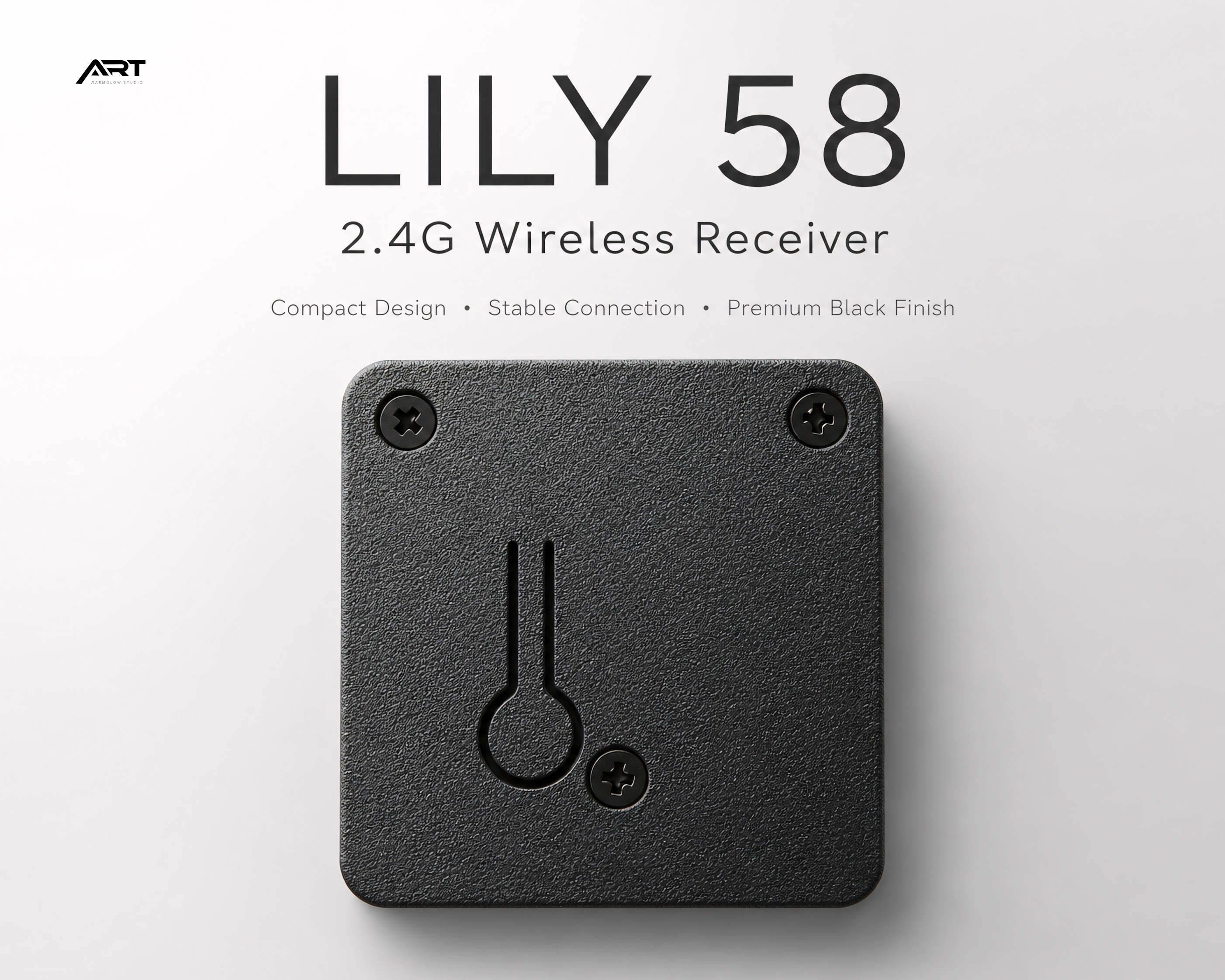
- 2.4G wireless receiver
- VIAL firmware (pre-installed)
Not included:
- Switches
- Keycaps
- USB-C cable
Key Features
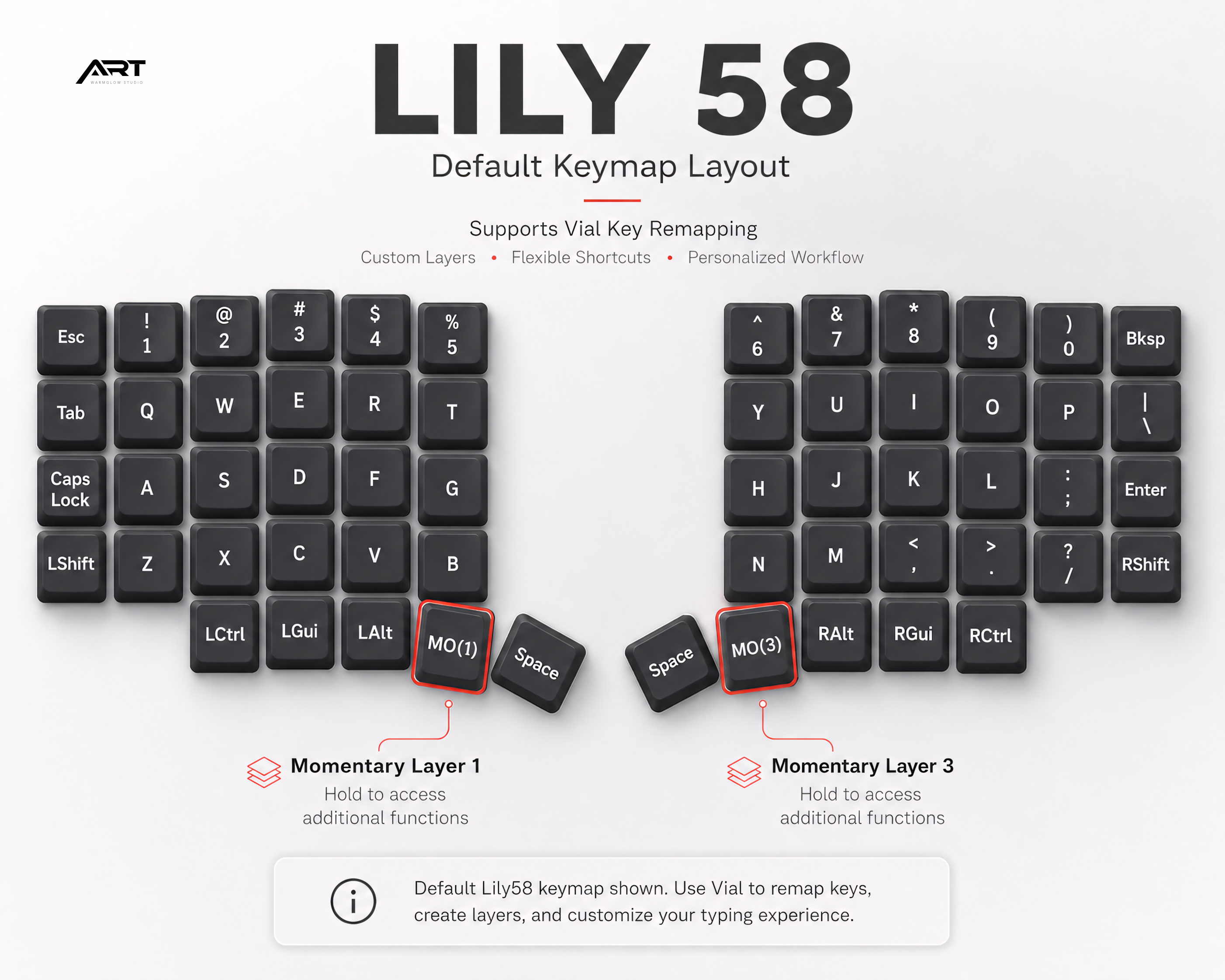
- Lily58 compact split ergonomic layout
- 2.4G wireless single-mode connection
- Dedicated 2.4G receiver included
- VIAL key remapping — instant keymap changes, no reflashing
- Combo: 30 sets / Tap Dance: 30 sets / Macro: 30 sets
- Button cell battery powered (~2–4 months per set)
- 3D-printed case
VIAL Key Remapping
This keyboard supports VIAL, allowing full key customization through the VIAL desktop app. Remap keys, create layers, set macros, and configure shortcuts — changes apply instantly without reflashing firmware.
Please do not flash or modify the firmware unless you have custom keyboard firmware experience.
Battery & Power
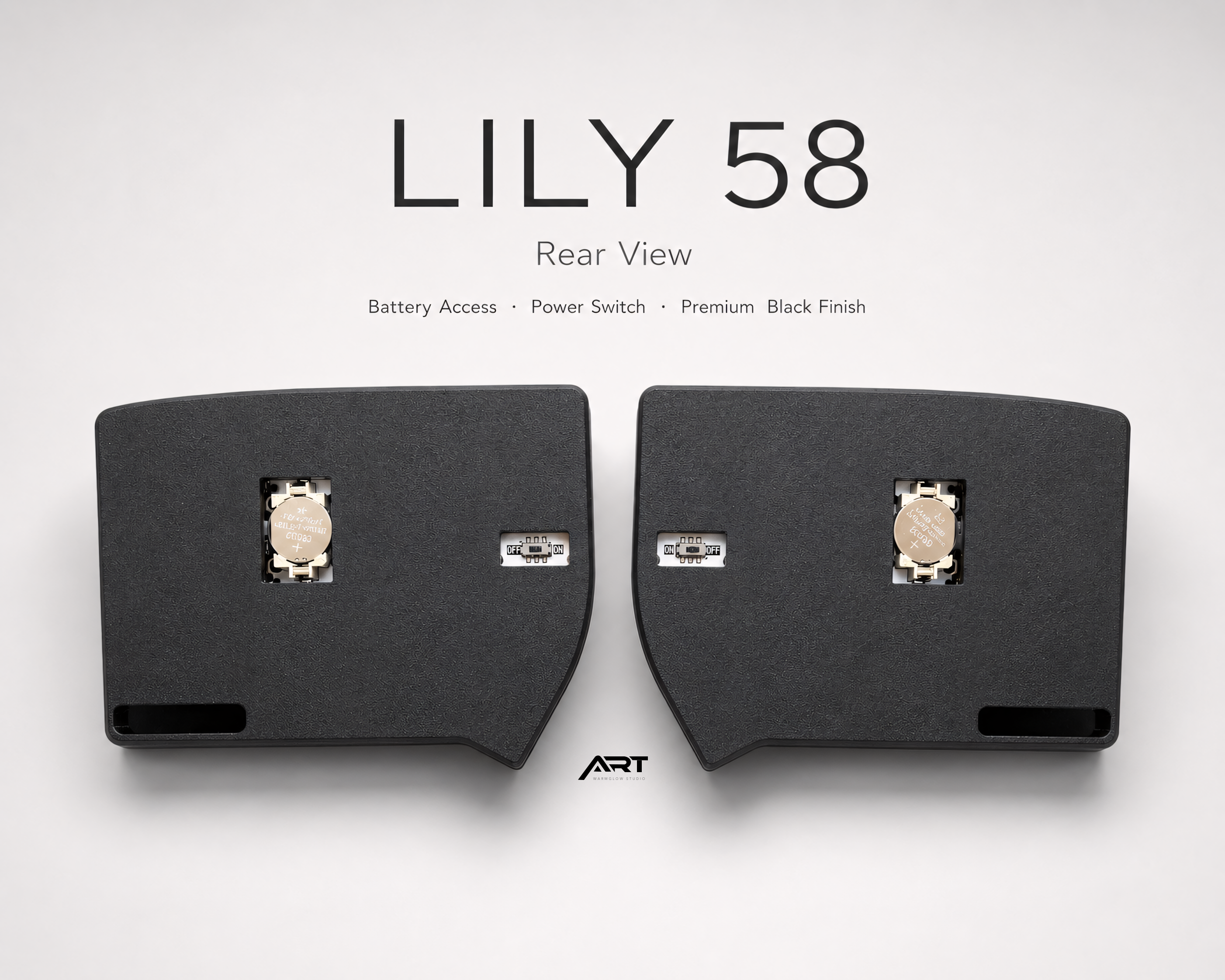
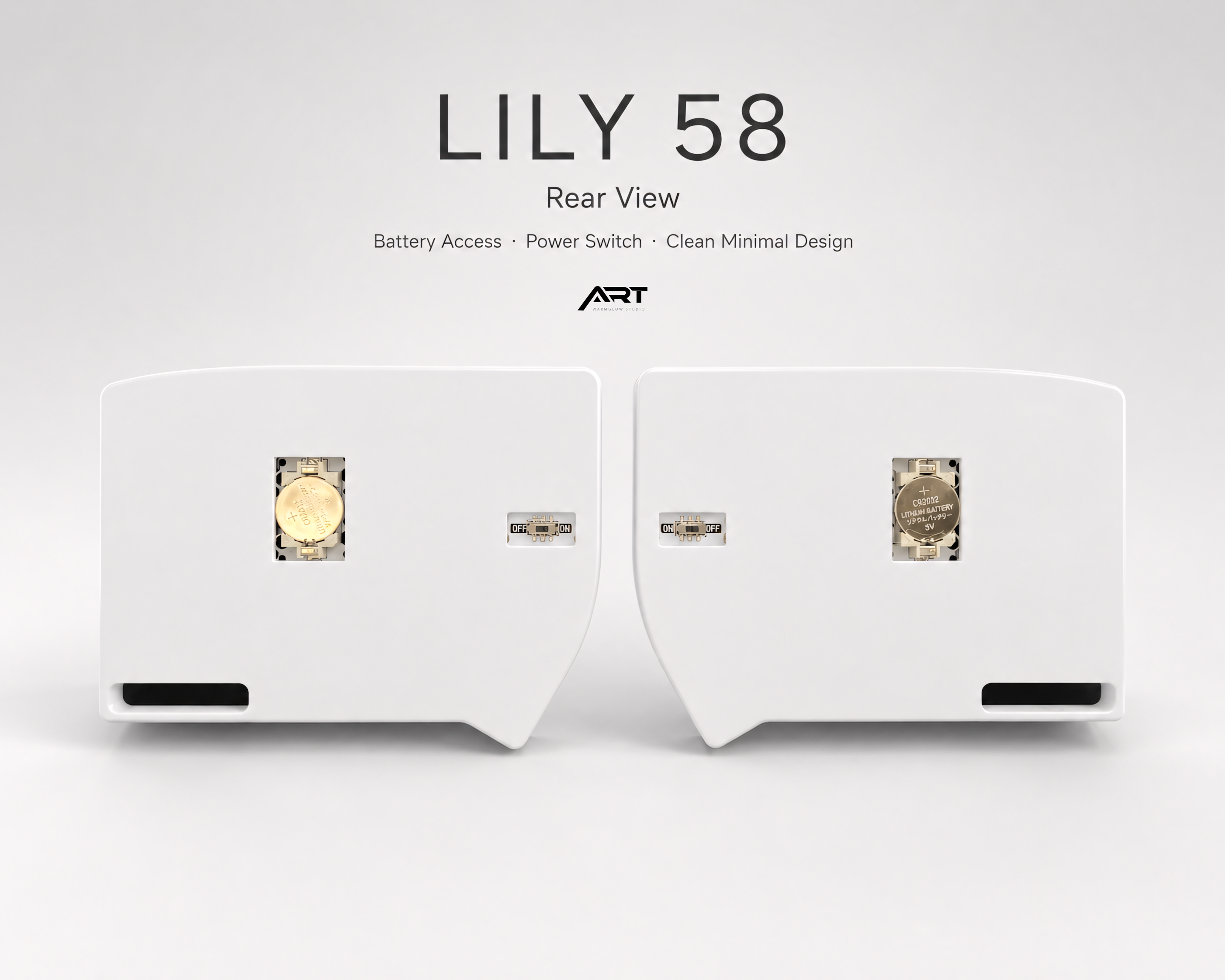
Powered by button cell batteries. Under normal use, battery life is typically 2–4 months and may last longer depending on usage habits.
The keyboard enters sleep mode quickly when idle and wakes almost instantly when used. Always turn off the power switch when carrying the keyboard or leaving it unused for an extended period to avoid unnecessary battery drain.
2.4G Receiver
A dedicated 2.4G receiver is included. Receiver color is shipped randomly. In most cases, plug in the receiver and the keyboard is ready to use after pairing.
Mac Usage Notes
Compatible with Windows and macOS. On Apple Silicon Macs (M1, M2, M3), the 2.4G receiver may need to be recognized before the keyboard works smoothly on both halves. If one side feels delayed or unresponsive:
- Shut down the Mac completely.
- Insert the 2.4G receiver before powering on.
- Turn on the Mac and wait for the system to recognize the receiver.
- Test the keyboard again.
Once recognized, the receiver can be plugged in and used normally. If issues persist, connect the receiver directly to the Mac instead of through a USB hub.
Important Notes
- This is a Barebone version — switches, keycaps, and cable are not included.
- 3D-printed cases may have minor layer lines or surface texture variation — this is normal for FDM printing and not a defect.
- Turn off the power switch when carrying the keyboard or leaving it unused for long periods.
- Receiver color is shipped randomly and cannot be selected.
- Split keyboards may require a short adjustment period if you are new to this layout.
- Warranty does not cover firmware modifications, incorrect assembly, or misuse.
This listing is the barebone version — the PCB, case, and electronics are included, but you supply your own switches and keycaps. This is the right choice if you already have switches you love, or if you want to build out the keyboard exactly to your preferences.
2.4G wireless via USB receiver. VIAL firmware makes full remapping available immediately through the VIAL app — no config files, no compilation.
Hot-swap MX sockets throughout. Swapping switches takes seconds per key, no tools required beyond a switch puller.
Ships with PCB assembled and firmware loaded. Add your own switches and keycaps to complete the build.
Compatible with Mac and Windows.
Free worldwide shipping on every order.
→ Browse all Wireless Split Keyboards | Prebuilt Keyboards
📦 Returns & Support
Due to the custom nature of our products, each keyboard is individually built and assembled to order — not pulled from pre-made stock. Because of this, we're unable to accept returns or exchanges unless the item arrives damaged or defective.
If something isn't right with your order, please reach out to us within 7 days of delivery with photos of the issue, and we'll work with you to make it right — whether that's a replacement part, repair guidance, or other resolution.
We appreciate your understanding, and we're always here to help if you have any questions before or after your purchase.
🚚 Shipping & Processing
Processing time: 2–12 business days (made-to-order).
Estimated delivery: 7–20 business days after dispatch.
Actual delivery time may vary depending on your location and carrier efficiency. Please refer to your tracking information for updates.
Choose options