Best ergonomic keyboard for programmers
Best Ergonomic Keyboard for Programmers: Why a Split Trackball Setup Changes Everything
Programmers have a specific problem that most ergonomic keyboard guides don't address directly. It's not just typing volume — it's the combination of typing volume and constant mouse switching. Write code, reach for the mouse, click through a file tree, reach back to the keyboard, type, reach for the mouse again. Over an eight-hour session, that lateral arm movement adds up to something your shoulder notices.
Most ergonomic keyboard recommendations for programmers focus on the keyboard in isolation. This guide covers the complete picture: why split keyboards work for coding workflows, what to look for when buying one, and why a built-in trackball changes the equation entirely.
Why Standard Keyboards Cause Problems for Programmers
A standard keyboard forces your hands into a position that feels neutral but isn't. Your hands angle inward to reach the keys, rotating your wrists and pulling your shoulders forward. For someone typing two hours a day, this is a minor inconvenience. For a programmer typing six to eight hours a day, it's the source of the wrist, forearm, and shoulder strain that becomes hard to ignore after a few years.
The geometry problem is compounded by mouse placement. Your mouse lives to the right of your keyboard, and every time you reach for it, your right shoulder extends forward and your arm crosses laterally. Programmers do this constantly — navigating file trees, clicking through IDE panels, browsing documentation.
Ergonomic keyboards address the geometry problem. The best ones address both.
What Makes a Keyboard Actually Ergonomic for Coding
Not all keyboards marketed as "ergonomic" solve the same problems. For programmers specifically, these are the features that matter:
True Split Design
A split keyboard separates into two independent halves. This is meaningfully different from a single-piece "curved" keyboard — you can position each half at exactly the width that matches your shoulder position, eliminating the inward hand angle entirely.
The improvement is immediate and significant. Your shoulders open. Your wrists straighten. The chronic forward pull on your neck and upper back reduces.
Columnar Stagger Layout
Standard keyboards use a staggered row layout — a design inherited from mechanical typewriters where the offset was a mechanical necessity, not an ergonomic one. Columnar stagger aligns keys in straight vertical columns that match how your fingers actually move: up and down, not diagonally.
For programmers, columnar stagger reduces the lateral reach required for keys like Q, A, Z (on the left) and P, semicolon, slash (on the right). These keys are heavily used in programming workflows — bracket pairs, colon, slash for file paths — and easier access to them adds up over thousands of keystrokes.
Programmable Layers with QMK or VIAL
Programmers use more shortcuts, macros, and custom key combinations than almost any other keyboard user. A keyboard with QMK/VIAL firmware lets you remap every key, create layers for different applications (a vim layer, an IDE layer, a terminal layer), and assign complex macros to single keypresses.
With VIAL, this is done through a graphical interface — no coding required. You can configure and iterate on your keymap in minutes.
Hot-Swap Switches
Switch preference is personal and often changes over time. A programmer who starts with tactile switches might move to linears as their typing speed improves, or to silent switches when working in shared spaces. Hot-swap sockets let you change switches without soldering — pull out the old ones, press in the new ones.
Why a Trackball Changes the Equation for Programmers
This is where most ergonomic keyboard guides stop. They recommend a split keyboard and assume you'll still use a separate mouse.
But for programmers, the mouse-reach problem is as significant as the keyboard geometry problem. Every reach to a separate mouse is an interruption of your typing position — your right arm extends, your shoulder shifts, your hand leaves the keyboard. You then have to find your way back to the home row.
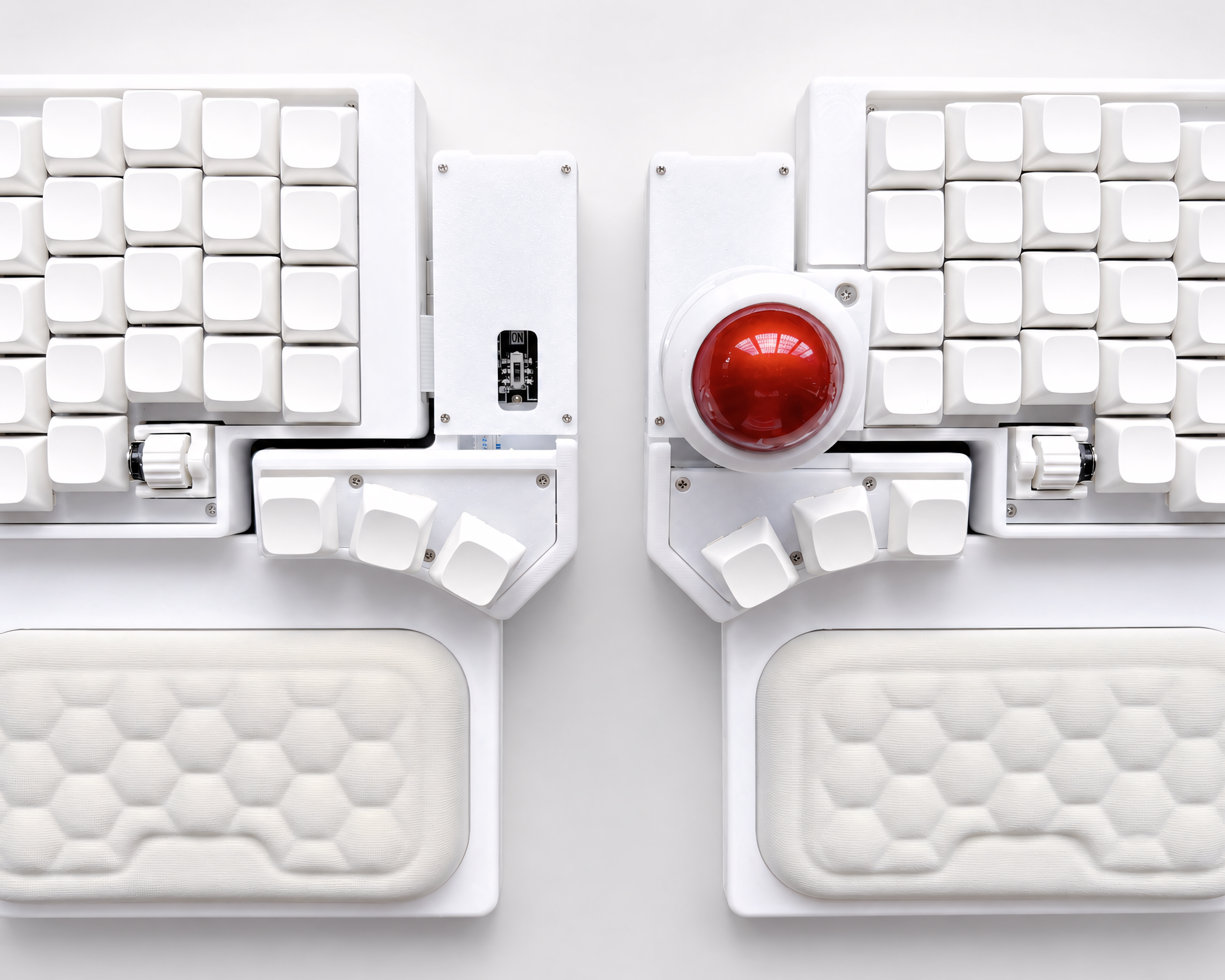
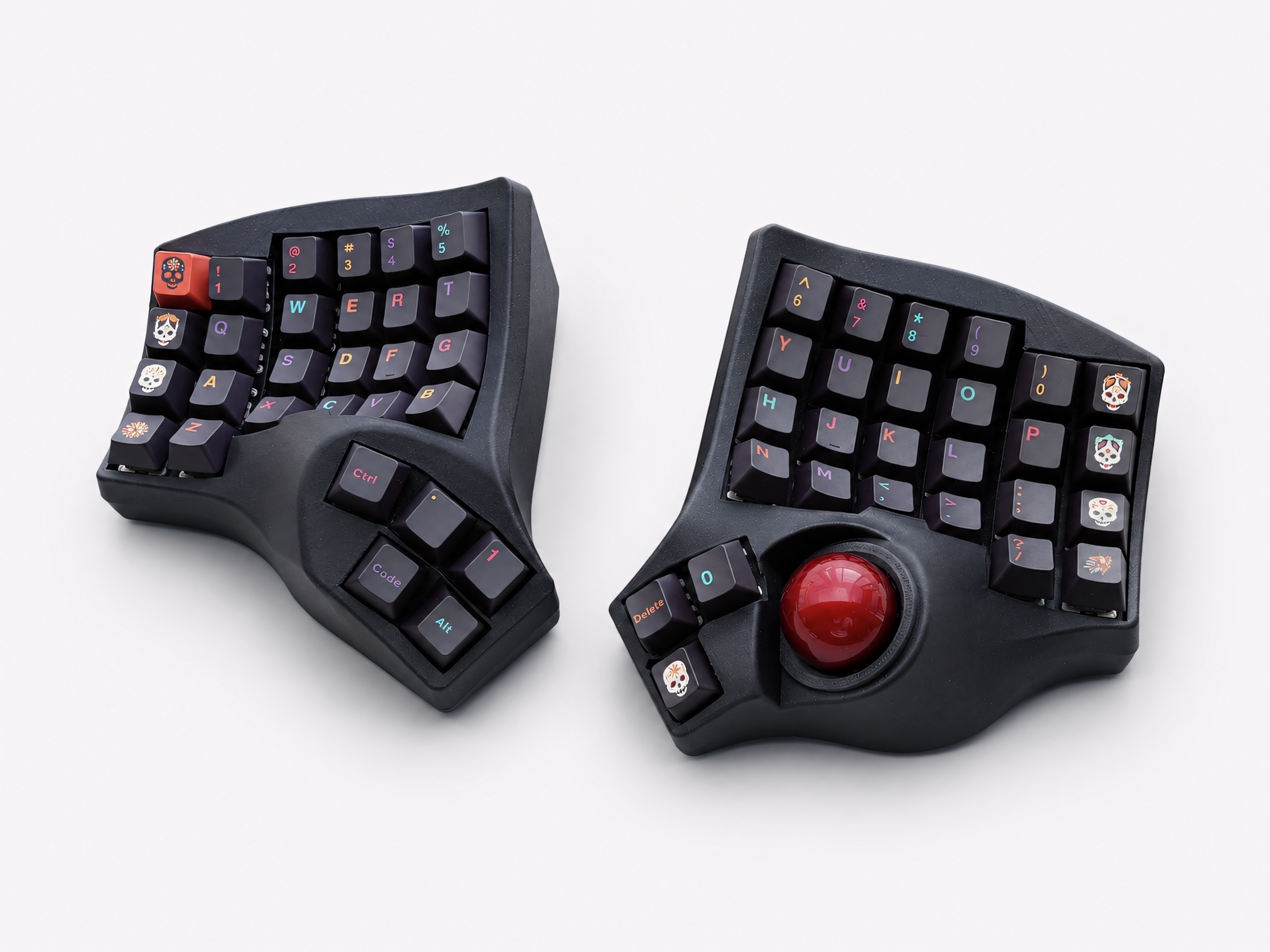
A split keyboard with a built-in trackball solves this completely. The trackball sits at the thumb cluster of the right half. You control your cursor by rolling the ball with your thumb while your fingers stay on the home row. You never reach laterally for a mouse.
For the specific tasks programmers do constantly — clicking through a file tree, navigating IDE panels, scrolling through documentation, switching between windows — the trackball handles everything. Your hands don't leave their position. The reach disappears.
The adjustment period is real: about three weeks before the trackball feels as natural as a mouse. After that, most programmers find their separate mouse usage drops to near zero.
The Best Ergonomic Keyboard Options for Programmers
For programmers who want a split keyboard with a built-in trackball
The Artkeeb Trackball Split Keyboard is built around a custom PCB with the trackball integrated at the thumb cluster. Available in wired QMK (with full VIA/VIAL remapping) and wireless ZMK versions. Hot-swap MX sockets, PETG case, wrist rests included.
This is the option that addresses both the keyboard geometry problem and the mouse-reach problem simultaneously.
View the Trackball Split Keyboard →
For programmers who want a compact split keyboard without a trackball
The Corne 3.1 (42 keys, ZMK Bluetooth) and Sofle V2 (58 keys, QMK/VIAL) are both strong options depending on how minimal you want to go. The Sofle V2 includes rotary encoders — useful for volume and scroll — and a number row that reduces the learning curve. The Corne is more compact but requires more comfort with layer-based key access.
For programmers transitioning from a standard keyboard
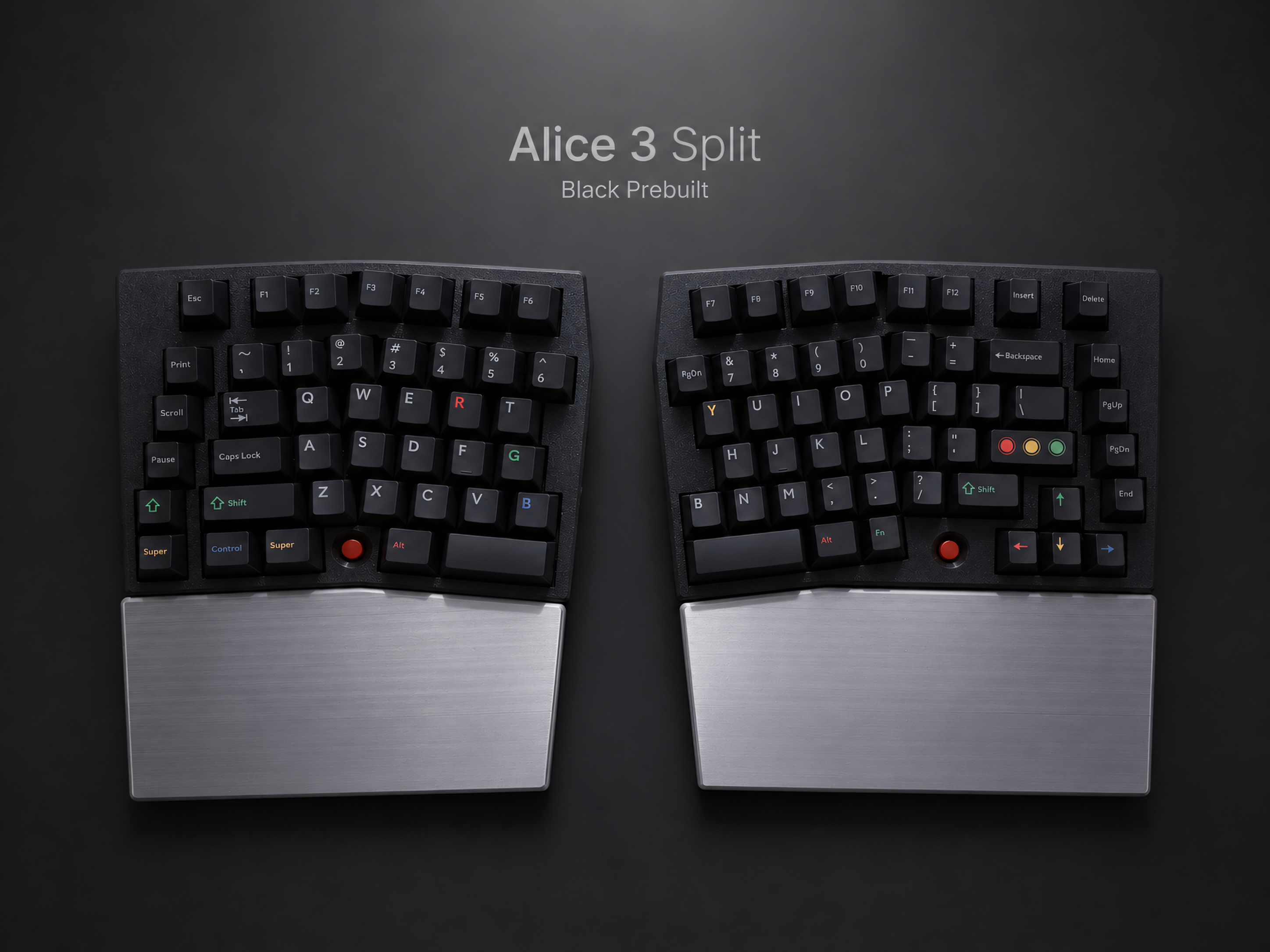
The Alice-layout split keyboards (Alice Split and Alice 3) keep all keys in familiar positions with a split angle. Zero relearning of key locations, immediate ergonomic improvement. The Alice 3 includes a full numpad — useful for programmers who work with numerical data.
Common Questions from Programmers Switching to Split Keyboards
Will my typing speed drop? Yes, for the first one to two weeks. Most programmers return to close to their original speed after two weeks of consistent use. The columnar stagger initially causes confusion on outer-column keys, but this resolves faster than most people expect.
Can I still use vim/emacs keybindings? Yes. The key positions you use for vim navigation (h/j/k/l) are on the home row, which is where columnar stagger keyboards are most natural. Many vim users find the transition to a columnar layout easier than non-vim users because they're already accustomed to home-row navigation.
What about thumb cluster keys? What do I put there? Common configurations for programmers: thumb keys for space, backspace, enter, and a layer switch. The layer switch activates a navigation layer (arrow keys on h/j/k/l) or a symbol layer (brackets, braces, operators on the home row). VIAL makes experimenting with different configurations quick and straightforward.
Will I be able to type on a regular keyboard when I need to? Yes. Your muscle memory for each layout coexists — using a split keyboard doesn't erase your ability to type on a standard keyboard. Most programmers find they can switch between the two, though after a few months the standard keyboard starts to feel noticeably less comfortable.
Is wireless worth it for a programming keyboard? For a desk setup with one primary computer, 2.4G wireless with VIAL gives you a cable-free desk without sacrificing the graphical remapping interface. For multi-device setups (switching between a laptop and desktop), ZMK Bluetooth supports up to five device profiles and switches between them with a keypress.
The Practical Recommendation
If you're a programmer who types for six or more hours a day and has noticed wrist, shoulder, or neck strain developing, a split keyboard is not a luxury — it's a functional tool that addresses a genuine physical problem.
If you're also constantly switching between keyboard and mouse, a trackball split keyboard addresses both problems at once. The adjustment period is three to four weeks. The relief tends to be cumulative and significant.
The keyboards that make the most sense for programming workflows are the ones with QMK/VIAL firmware (for layer customization), hot-swap sockets (for switch experimentation), and — if you want to eliminate mouse reach — a built-in trackball.

Leave a comment
This site is protected by hCaptcha and the hCaptcha Privacy Policy and Terms of Service apply.