Best Trackball Split Keyboard for Programmers: What Actually Matters
The best trackball split keyboard for programming is not simply the model with the most features. It is the one that keeps your most-used coding keys, navigation commands, and cursor controls easy to reach without making the keymap difficult to remember.
For most programmers, five things matter most: layout size, trackball placement, firmware, connection reliability, and the quality of the default keymap.
1. Start with your tolerance for layers
Compact layouts reduce finger travel by moving numbers, symbols, arrows, and function keys onto layers. This can be excellent for programming because brackets, operators, navigation, and shortcuts can be organized around the home row.
The benefit appears only when the layers make sense to you. A 3x6 layout is a strong option for experienced split-keyboard users who enjoy customizing keymaps. A larger layout is usually easier for developers moving directly from a conventional keyboard.
Before buying, list the keys you use constantly: brackets, parentheses, equals, minus, slash, backslash, arrows, Escape, Tab, function keys, and application shortcuts. Confirm where they are located in the default keymap and whether remapping is supported.
2. Trackball placement matters more than ball size
The main reason to integrate a trackball is to reduce repeated movement between keyboard and mouse. That advantage disappears if reaching the ball forces your thumb or wrist into an awkward position.
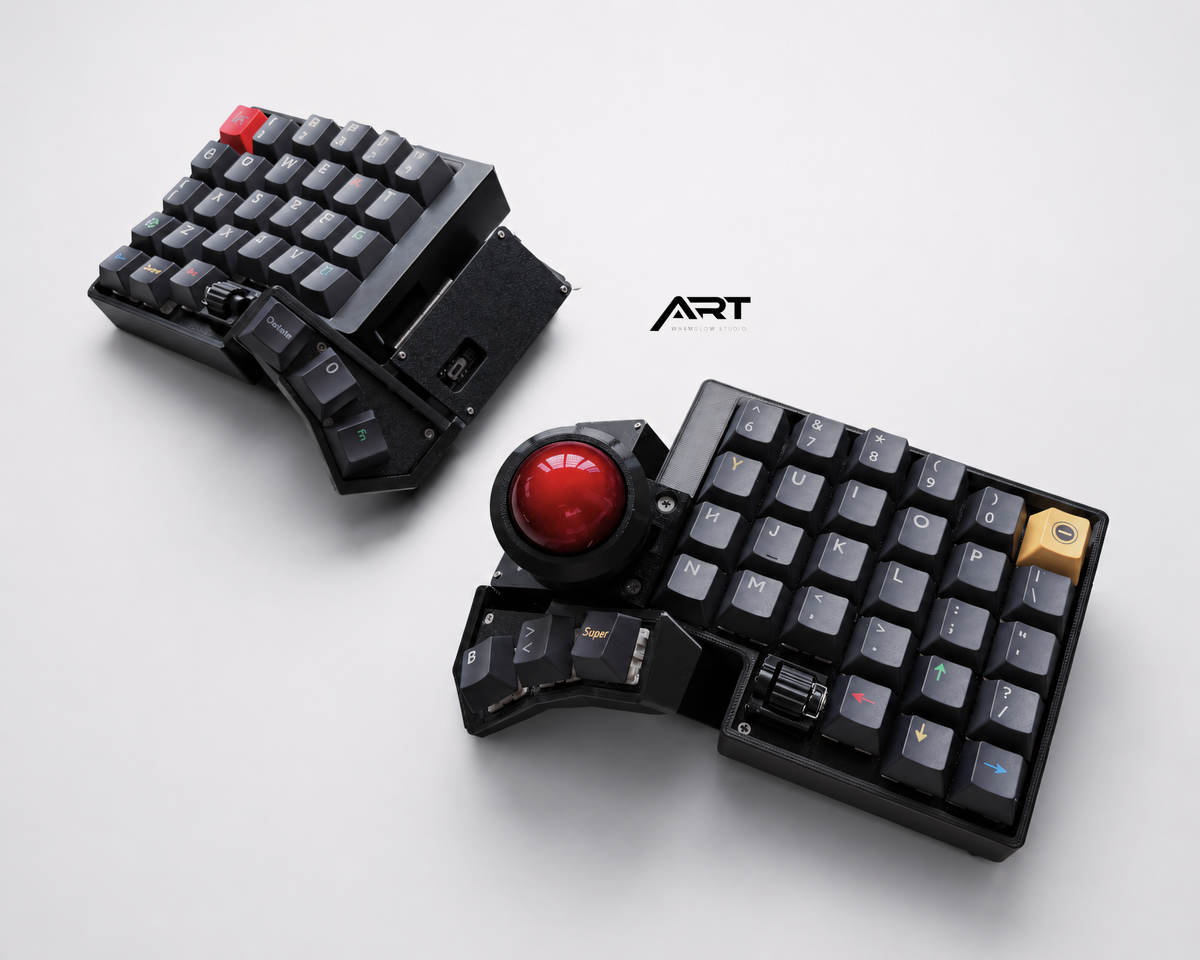
Look for a ball positioned near the natural resting area of the thumb. Primary click, secondary click, drag, and scroll controls should also be easy to reach. Product photos should show the keyboard from above and from the side so you can judge the distance from home position to the ball.
For code editing, browsing documentation, selecting terminal windows, and moving between panels, a thumb trackball can handle most daily navigation. Pixel-level design work and some games may still feel better with a separate mouse.
3. Choose firmware based on how you work
QMK with VIA or VIAL is a strong choice for a wired workstation. It offers mature key remapping, layers, macros, and predictable USB behavior. Wired connectivity also removes battery and Bluetooth variables.
ZMK is designed for low-power wireless keyboards. It is a good fit for clean desks, multiple devices, and portable setups. ZMK supports layers, combos, behaviors, and Bluetooth profiles, but advanced changes may require more familiarity with its configuration workflow.
If you want minimal setup, choose a prebuilt board with firmware already installed and a usable default keymap. If you enjoy maintaining configuration files, either platform can support a highly personalized programming layout.
4. Reliability is a feature
For a work keyboard, a long feature list is less important than consistent behavior. Check whether each unit is tested before shipping and whether the seller provides setup documentation.
A useful pre-shipment test should include:
- Every key position
- Communication between both halves
- Trackball movement and click functions
- Charging and battery behavior on wireless versions
- USB connection on wired versions
- The default keymap and pairing process
Clear support boundaries also matter. The product page should explain which firmware modifications, charging methods, switch-installation damage, and user modifications are outside warranty coverage.
5. Hot-swap support is useful, but verify compatibility
Hot-swap sockets let you change switch feel without soldering. That is valuable for developers who type all day and may want silent switches for shared spaces or lighter switches to reduce fatigue.
Confirm whether the board accepts standard MX-style 3-pin and 5-pin switches. Check whether switches and keycaps are included in the selected configuration. A low “from” price can refer to a barebone configuration or accessory rather than a complete keyboard, so read the included-parts list before comparing prices.
Recommended layout by programming style
| Workflow | Better starting point |
|---|---|
| First split keyboard | Larger layout with dedicated number row |
| Experienced layer user | Compact 3x6 |
| Fixed desktop workstation | Wired QMK/VIA |
| Laptop, travel, multiple devices | Wireless ZMK |
| Shared office | Hot-swap board with silent switches |
| Heavy design plus coding | Built-in trackball with separate mouse available |
Artkeeb models to compare
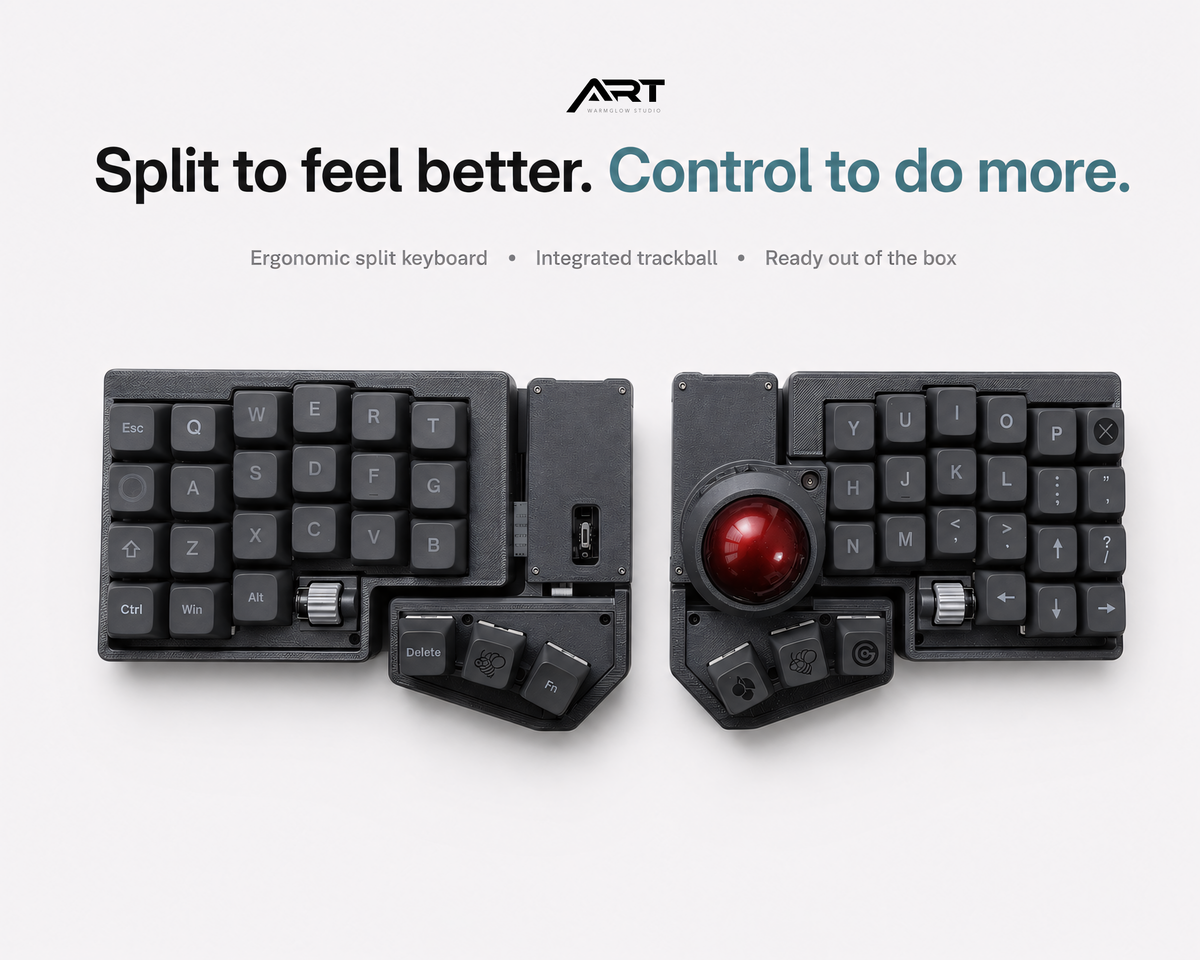
The Wireless ZMK 3x6 Compact Trackball Keyboard is the minimal option for programmers who want layers, portability, and a small desk footprint. The Trackball Split Keyboard with QMK/VIA or Wireless ZMK provides a more familiar layout and a choice of wired or wireless firmware.
See all available configurations in the Artkeeb trackball keyboard collection.
Frequently asked questions
Is a trackball accurate enough for coding?
Yes for text editing, terminals, browsers, documentation, and general window management. Coding rarely requires the continuous pixel-level precision common in illustration or competitive gaming.
Is 3x6 better for programmers?
It can be, but only if you are comfortable with layers. Compact reach does not compensate for a keymap you cannot remember during focused work.
Should programmers choose QMK or ZMK?
Choose wired QMK/VIA for a straightforward fixed workstation and wireless ZMK for portability and multi-device use. The quality of the default configuration and support is often more important than the firmware name alone.
For a broader discussion of the adjustment period, read Are Split Keyboards with a Trackball Worth It?.

Leave a comment
This site is protected by hCaptcha and the hCaptcha Privacy Policy and Terms of Service apply.